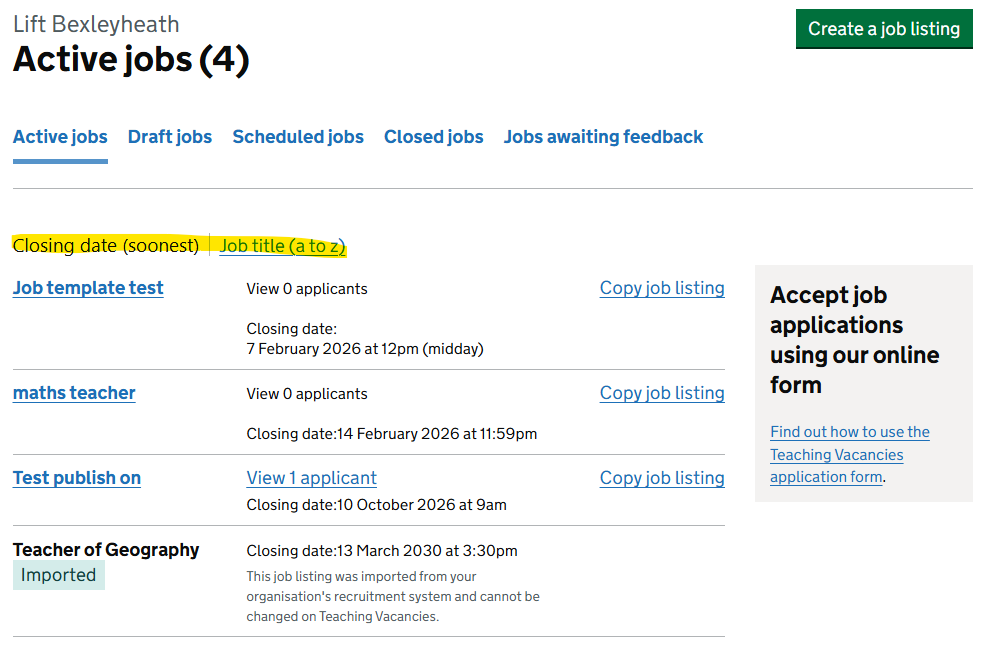
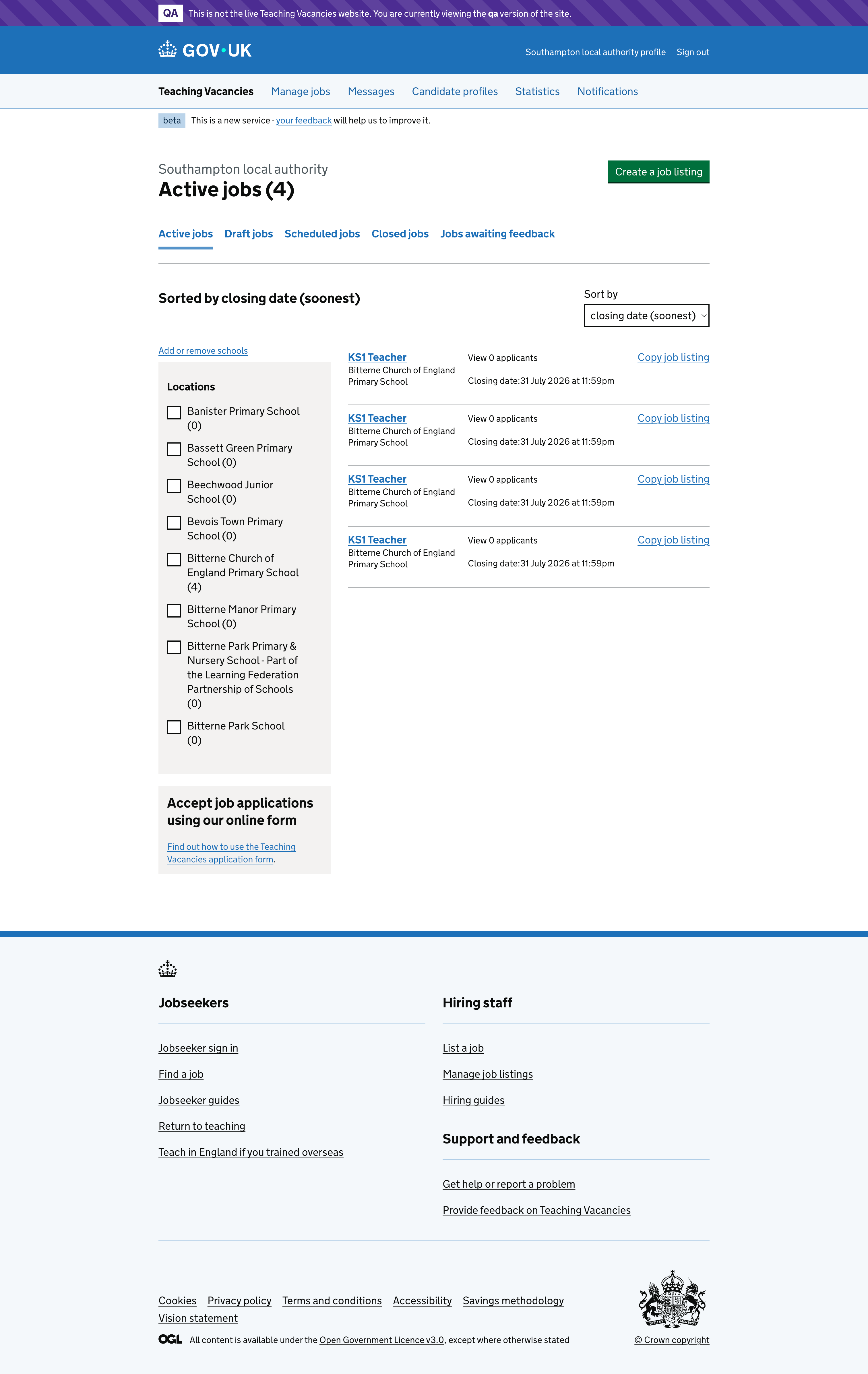
Through user feedback, we identified that hiring staff were struggling to find some of the filters available in the job listing management area. While the filters existed, their placement and design differed from the filters used on other pages, such as the jobs search page, which people were already familiar with.
This inconsistency made it harder for users to sort and filter their job listings, particularly when managing multiple roles across different job states.
# Key findings
From feedback and observation, we learned that:
- hiring staff expected filters to behave and appear consistently across the service
- the existing closing date and job title filters were not easily discoverable
- users were already comfortable with the filter and sort pattern used on the jobs page
- switching between pages with different filter layouts caused confusion and slowed task completion
# What we have done
To address these issues, we updated the job listing management pages to align with the filter and sort design used on the jobs page. We have:
- replaced the existing closing date and job title filters with the jobs page filter design
- applied the updated design consistently across active jobs, draft jobs, closed jobs and jobs awaiting feedback
- kept the default selections and available filter options unchanged, ensuring no loss of existing functionality
- implemented the jobs page filter layout within the existing job listings frame, so sort confirmation text appears on the left and filters are positioned on the right
# User needs
Need HN001
ValidatedAs a hiring staff user
I need to be able to create a job listing
So that jobseekers can find jobs at my school
Need HN002
ValidatedAs a hiring staff user
I need to be proactive in filling vacancies
So that I can find suitable candidates for jobs at my school
# Screenshots