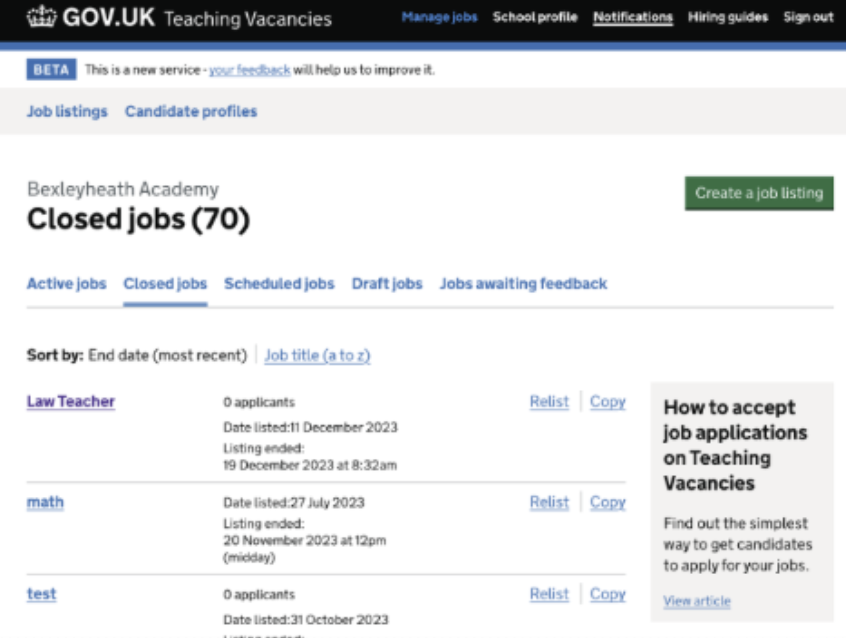
Teaching Vacancies already had an option to ‘copy’ a job listing, but we wanted to add a separate option to ‘relist’ a job. This was for two reasons:
- To make analytics clearer: having separate relist and copy options enables us to distinguish between cases where hiring staff have copied a live listing, utilises a template for another job listing, or where they have relisted a closed job.
- To simplify the user journey as the relist flow is quicker and easier than copying a listing. This enables hiring staff to easily relist a job advertisement.
# What we have done
To add a new relisting option, we have:
- updated the content on the current “Copy job listing” hyperlink to read “Copy”
- added a new hyperlink called “Relist” to the left of the “Copy” hyperlink
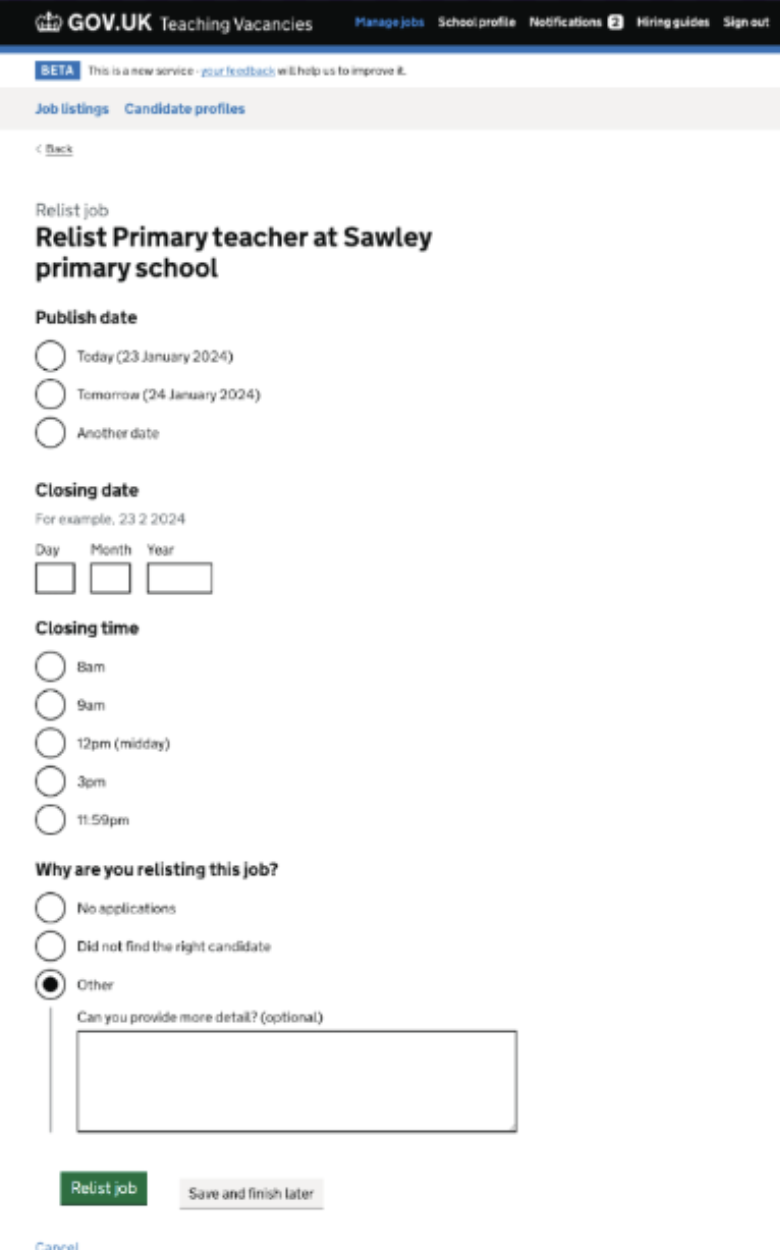
- implemented a relist a job journey. When hiring staff click the ‘relist’ button, they are taken to the relist page where they populate the publish date, closing date, closing time and give a reason for relisting the job
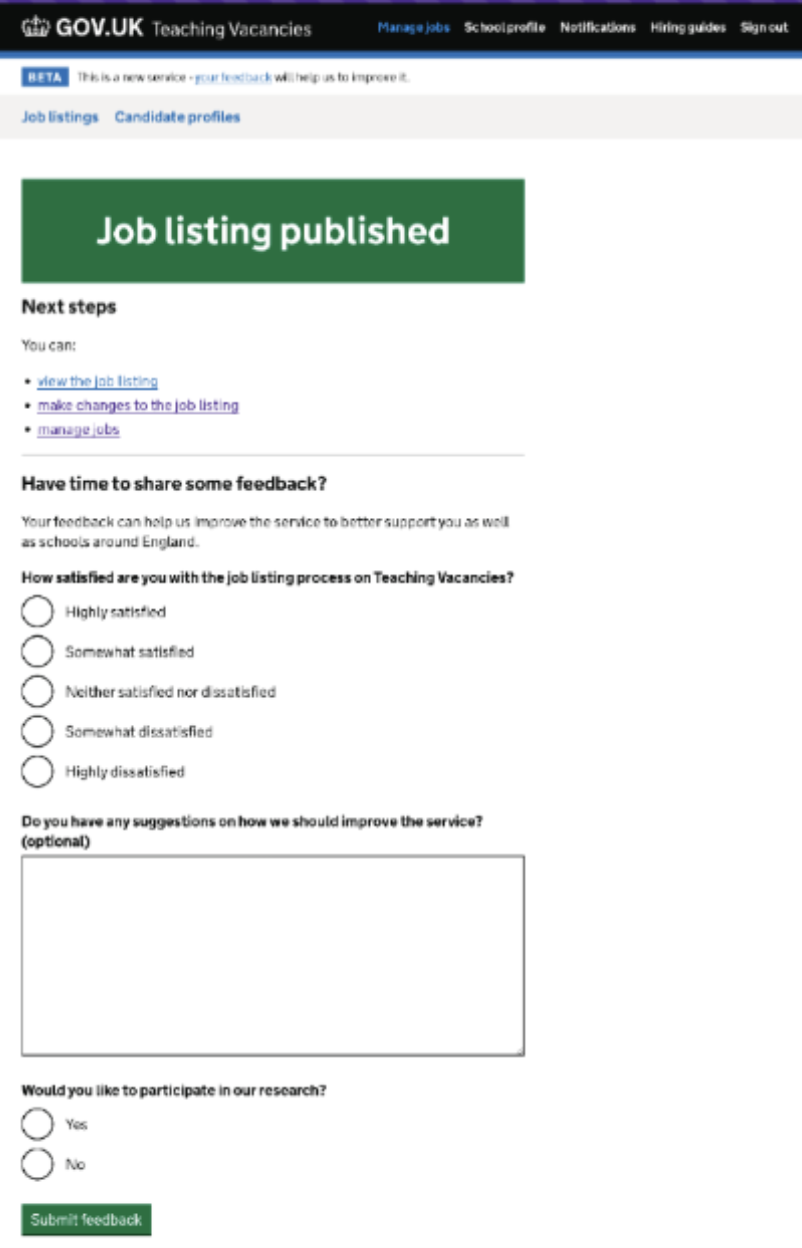
- after selecting the “Relist job” button, hiring staff are taken to the same job listing confirmation page.
# User needs
Need HN001
ValidatedAs a hiring staff user
I need to be able to create a job listing
So that jobseekers can find jobs at my school
Need HN002
ValidatedAs a hiring staff user
I need to be proactive in filling vacancies
So that I can find suitable candidates for jobs at my school
# Screenshots