The Teaching Vacancies service originally operated as a job listing platform. As part of this, hiring staff could attach a document-based application form to a job listing. Jobseekers could download this form from the job advert, complete it, and submit it directly to the school via email. This took the application process offline and outside the Teaching Vacancies service, limiting visibility and consistency.
# Key findings
During the applicant tracking system (ATS) discovery project, user research highlighted that:
- Jobseekers wanted to keep as many applications as possible in one place to make it easier to track progress and revisit past applications.
- Hiring staff wanted a centralised recruitment process where all applications were received and managed in a single location.
# What we have done
To support more consistent application and recruitment monitoring, we updated the journey for both hiring staff and jobseekers when a document application form is used.
These changes now allow:
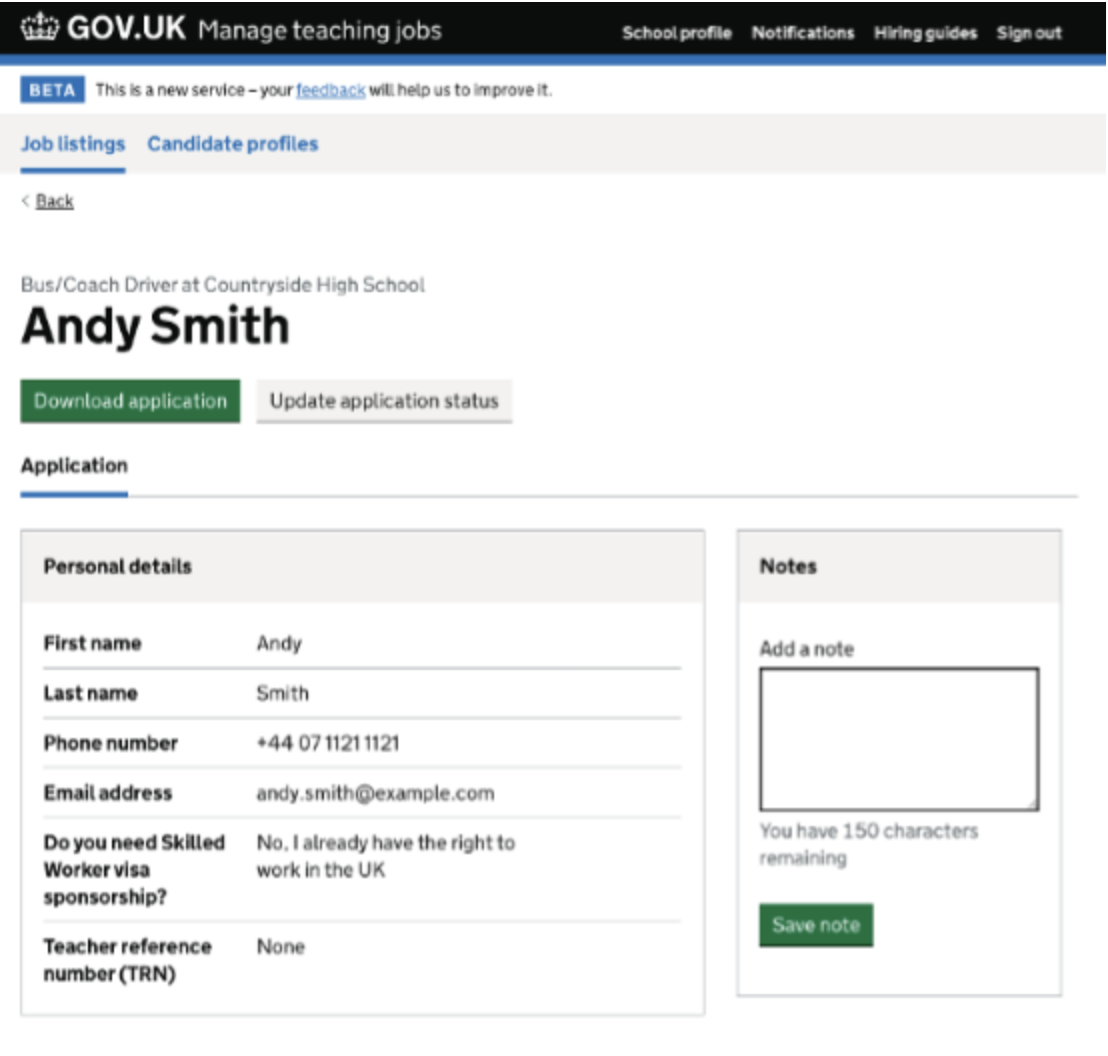
- Hiring staff to continue providing a document-based application form, but with completed forms accessed and managed through the Teaching Vacancies service and application dashboard.
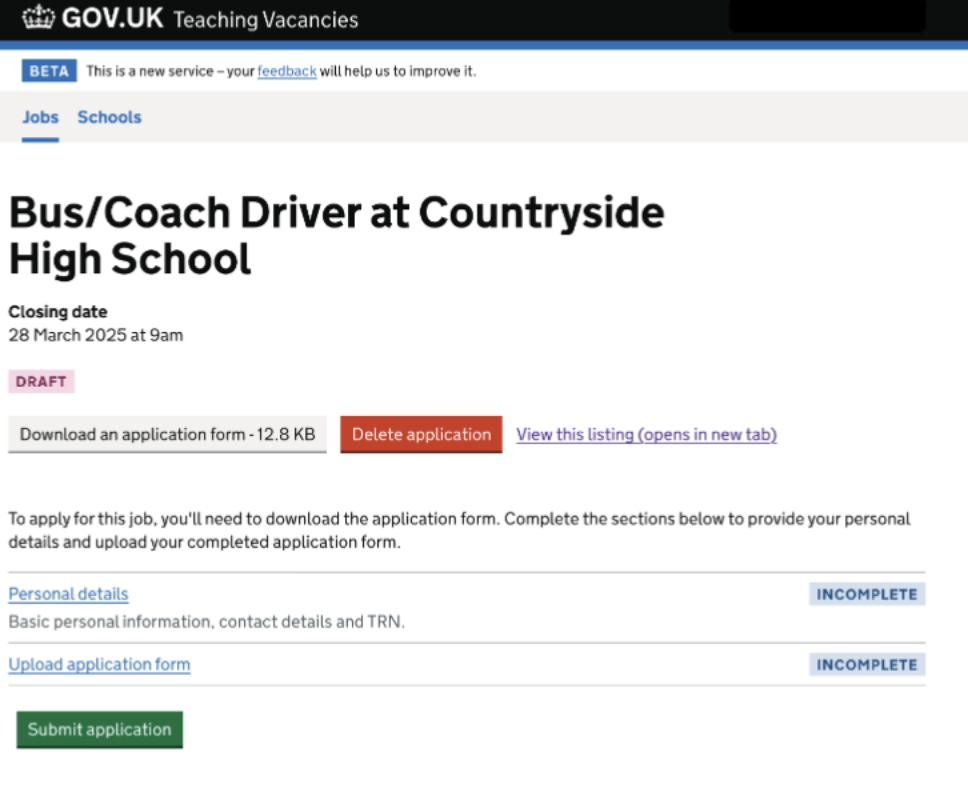
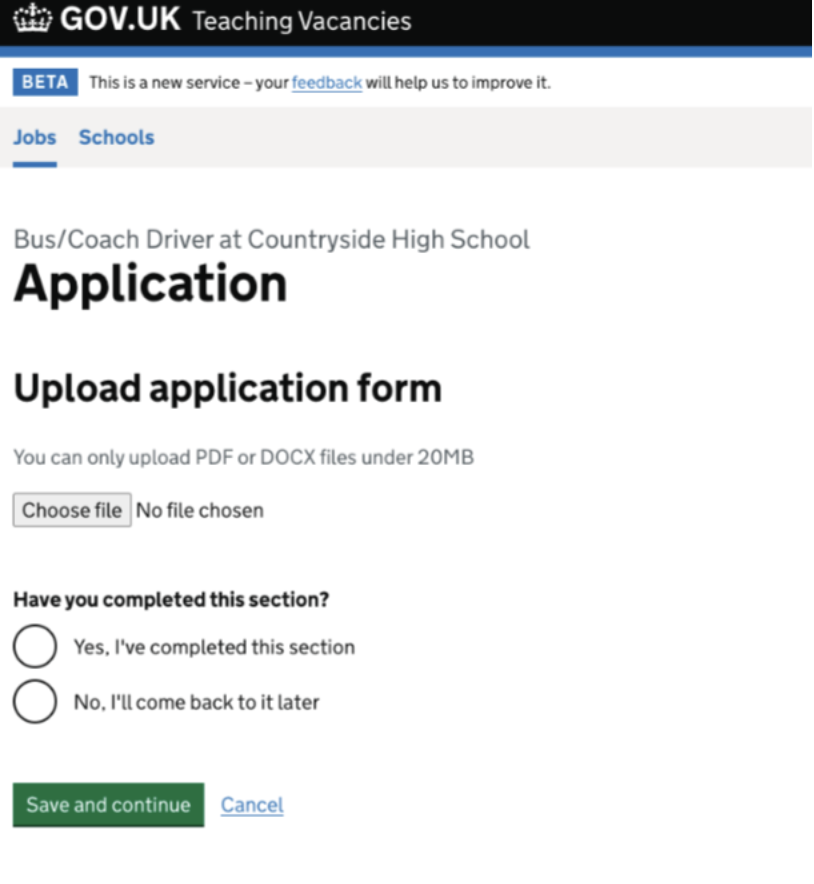
- Jobseekers to download the application form only after signing into Teaching Vacancies, with a requirement to re-upload the completed form through the service.
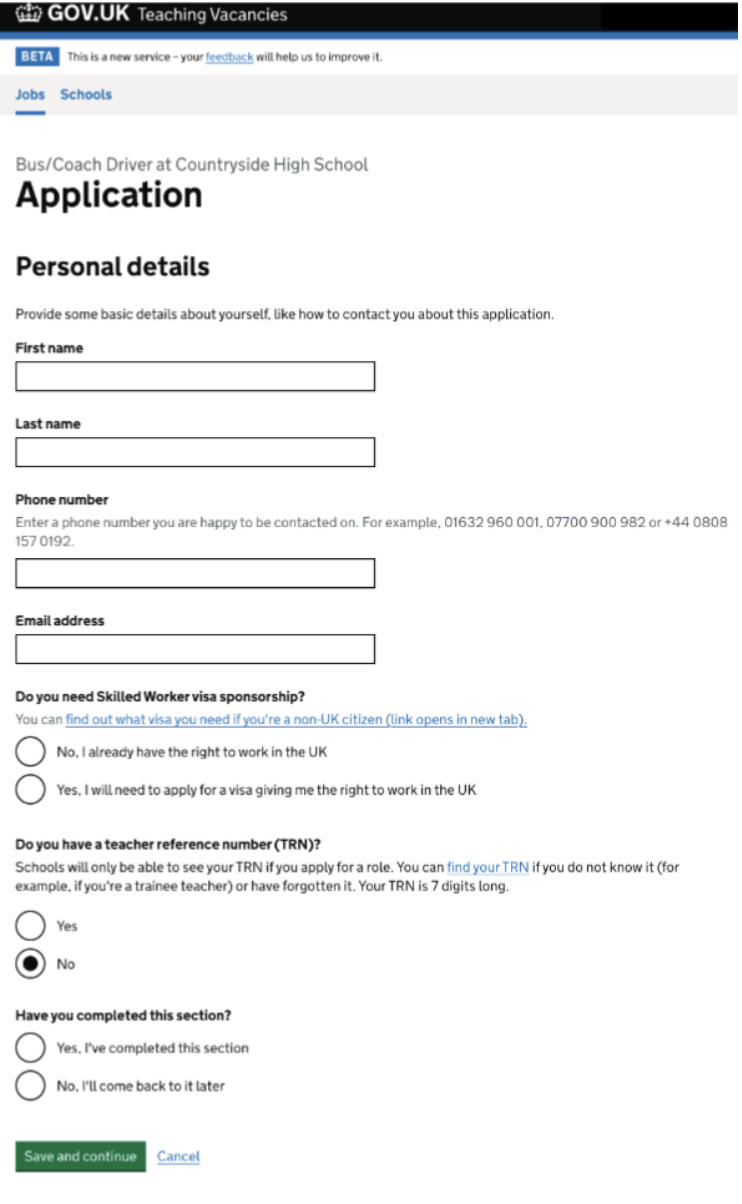
- Jobseekers to provide basic personal details alongside their uploaded form, enabling their information to be displayed consistently within the application dashboard.
These improvements create a consistent experience across the service, ensuring the application journey remains the same whether a document-based form or the built-in digital application form is used.
# Impact and benefits
By bringing document-based applications into the Teaching Vacancies service, we can now capture more accurate data and analytics, including:
- Job advert views
- Application form downloads
- Application submission rates
This allows better monitoring and reporting across all roles using document application forms.
# Additional insights
Before introducing the full document download and upload journey, we implemented a requirement for jobseekers to sign in before downloading application forms. This was introduced in November 2024 to ensure that any added friction would not negatively impact application volumes for schools.
Need HN002
ValidatedAs a hiring staff user
I need to be proactive in filling vacancies
So that I can find suitable candidates for jobs at my school
Need JN001
ValidatedAs a jobseeker
I need to easily understand a job listing
So that I know whether it’s suitable
# Screenshots