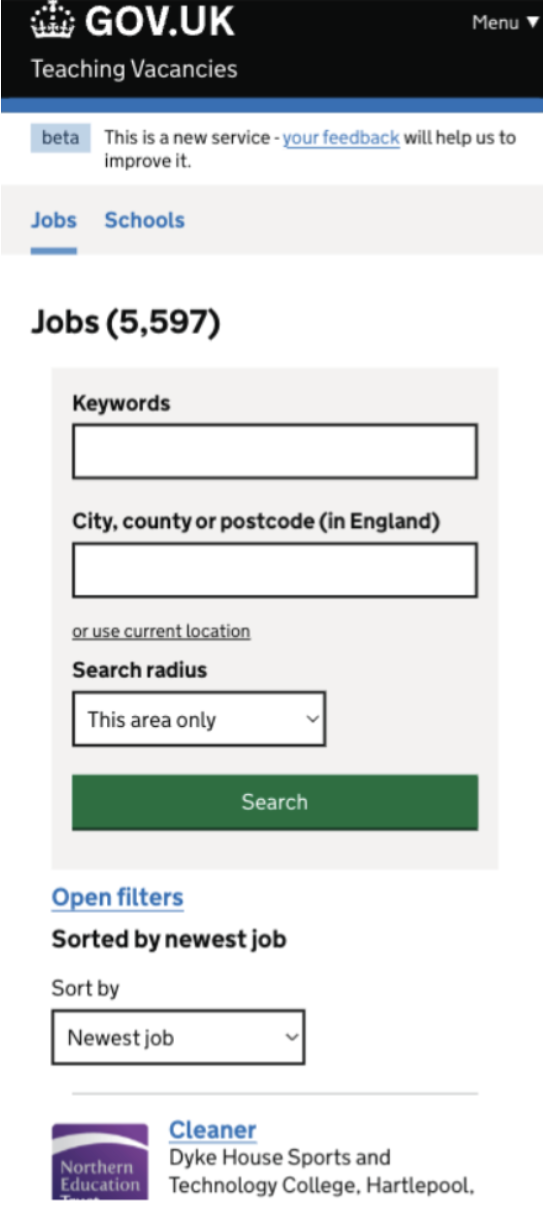
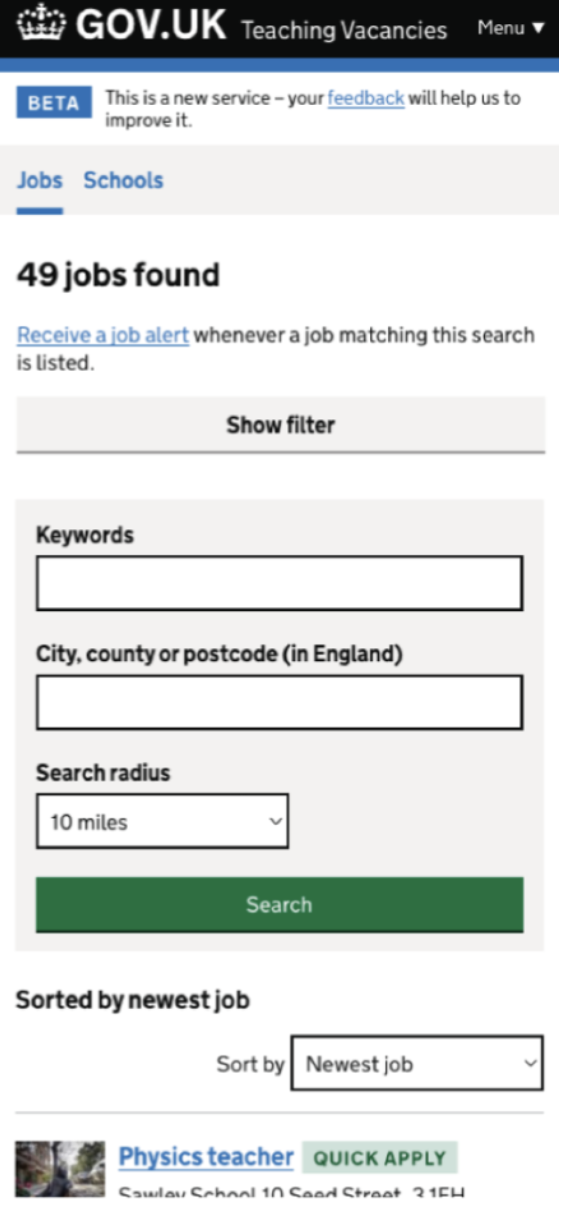
Following a review of feedback submitted to the service, we found that jobseekers were frequently asking for filters that already existed. This suggested that the filters were not easy to find, particularly when using a mobile device. We therefore hypothesised that the filter button was not sufficiently visible on smaller screens.
# What we have done
We updated the filter button design on the job search page to improve visibility and usability by:
- Changing the existing blue hyperlink into a full-width button to make it more prominent.
- Moving the filter button above the keyword and location fields to ensure it appears earlier in the visual hierarchy.
- displaying applied filters as tags, making it clear which filters have been selected during a search.
# What we expect
We expect these changes to make it easier for jobseekers to find and use search filters on mobile devices. We will monitor usage and analyse the impact once the changes have been live to determine whether filter usage from mobile users has increased.
Need JN002
ValidatedAs a jobseeker
I need to make prospective employers aware of my abilities
So that they can contact me about opportunities
# Screenshots