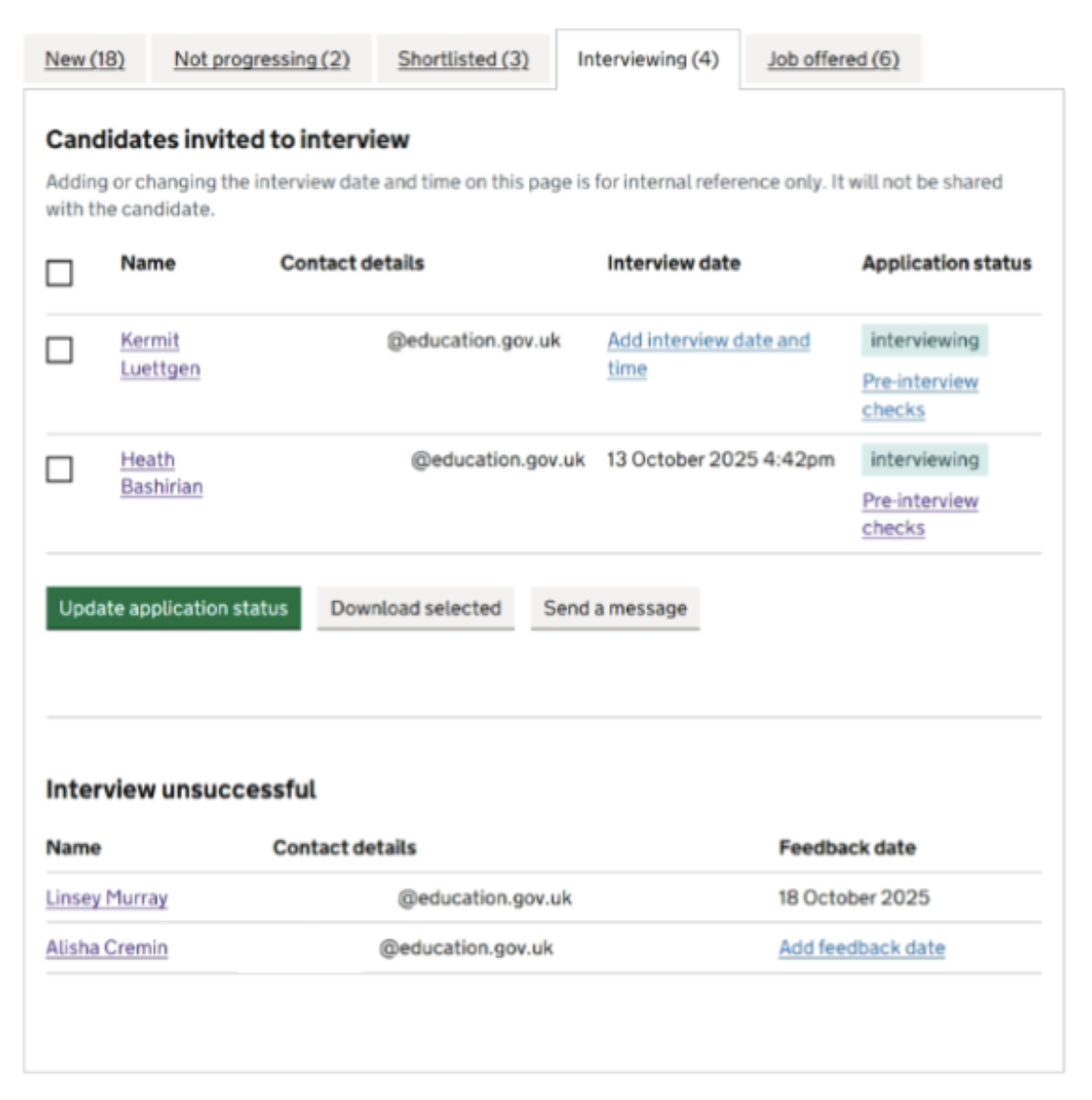
Following the application tracking system (ATS) release, we made some alterations to the ‘Interviewing’ tab to provide hiring staff with a way to store interview and feedback dates as well as mark applicants as unsuccessful at interview. These changes were to ensure hiring staff could clearly store all the relevant information system within our new ATS.
# What we have done
On the existing ‘Interviewing’ tab within the applications management table, we have provided additional functionality.
These additions allow hiring staff to:
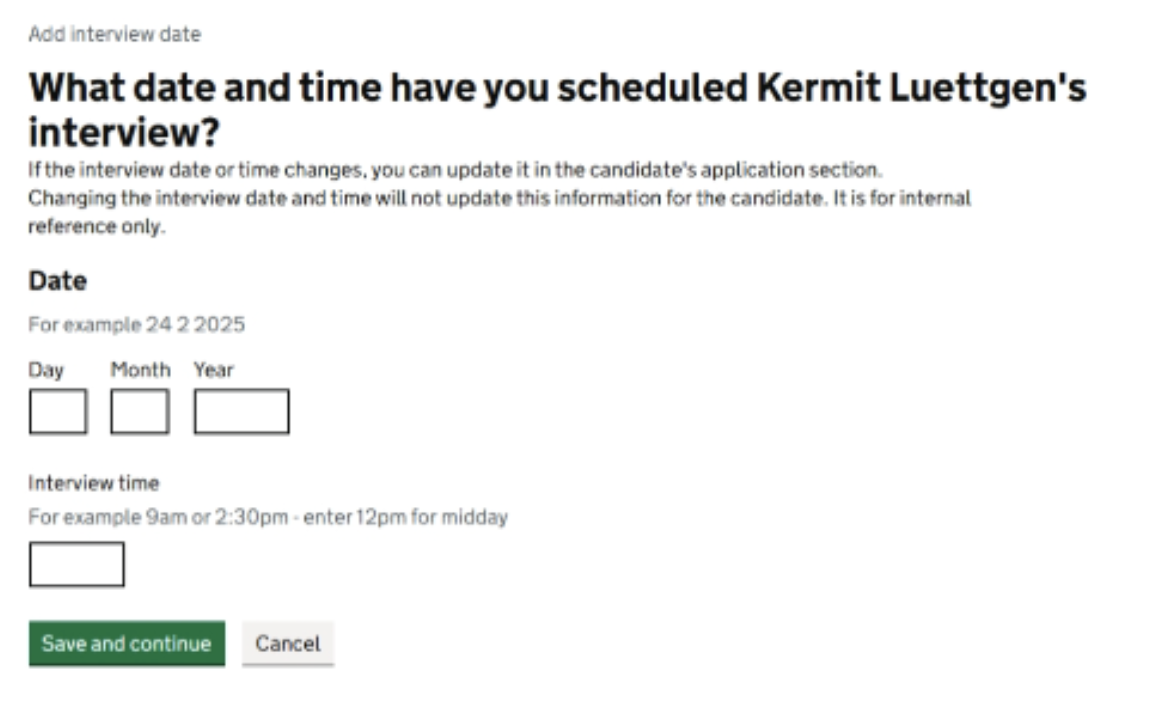
- add an interview date and time upon moving an applicant into the ‘Interviewing’ state or after they are on the ‘Interviewing’ tab
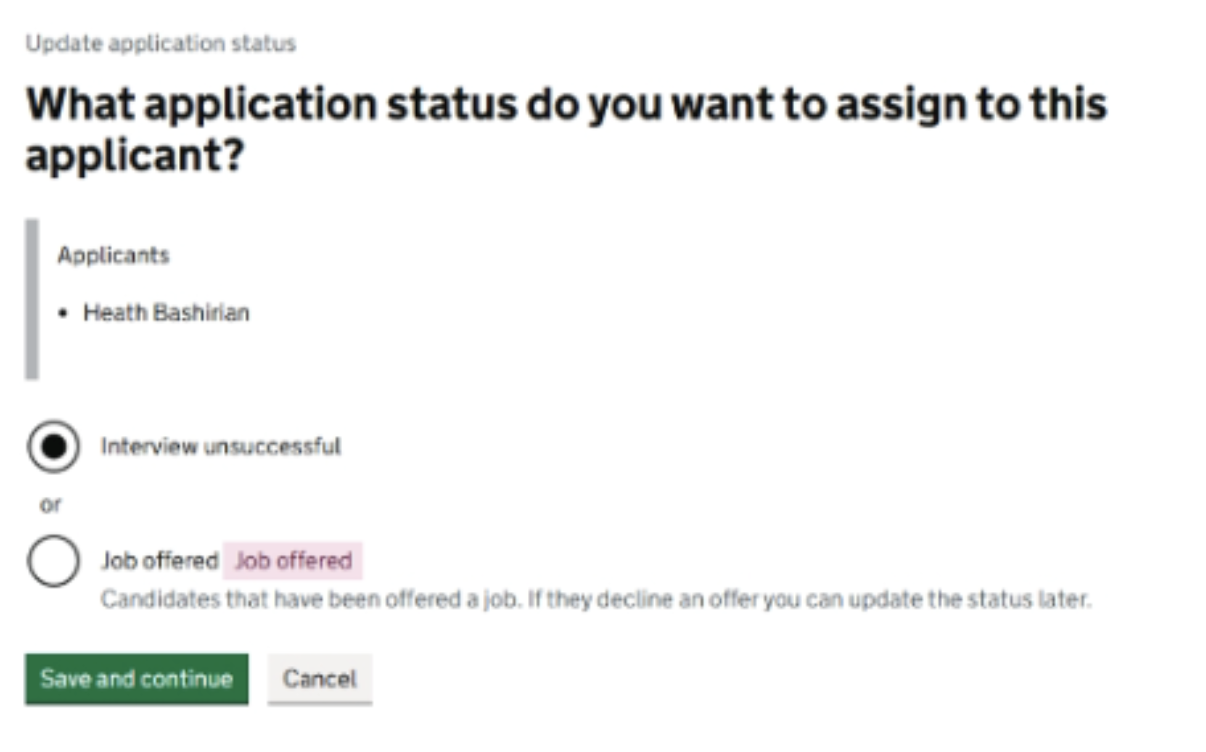
- mark an applicant as unsuccessful at interview from the ‘Interviewing’ tab which moves the applicant into a different table on the ‘Interviewing’ tab
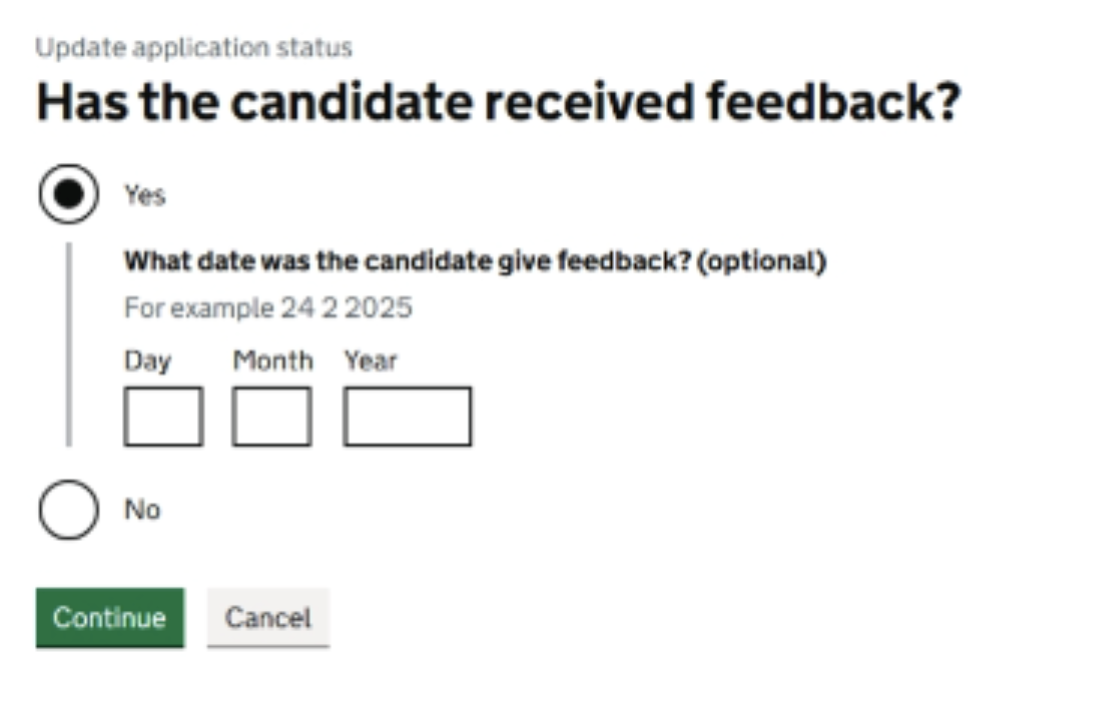
- provide a feedback date, where relevant, upon moving an applicant into the ‘Interview unsuccessful’ state or after they are moved to the ‘Interview unsuccessful’ table
Need HN002
ValidatedAs a hiring staff user
I need to be proactive in filling vacancies
So that I can find suitable candidates for jobs at my school
# Screenshots
- The updated interviewing tab
- The add interview date and time page
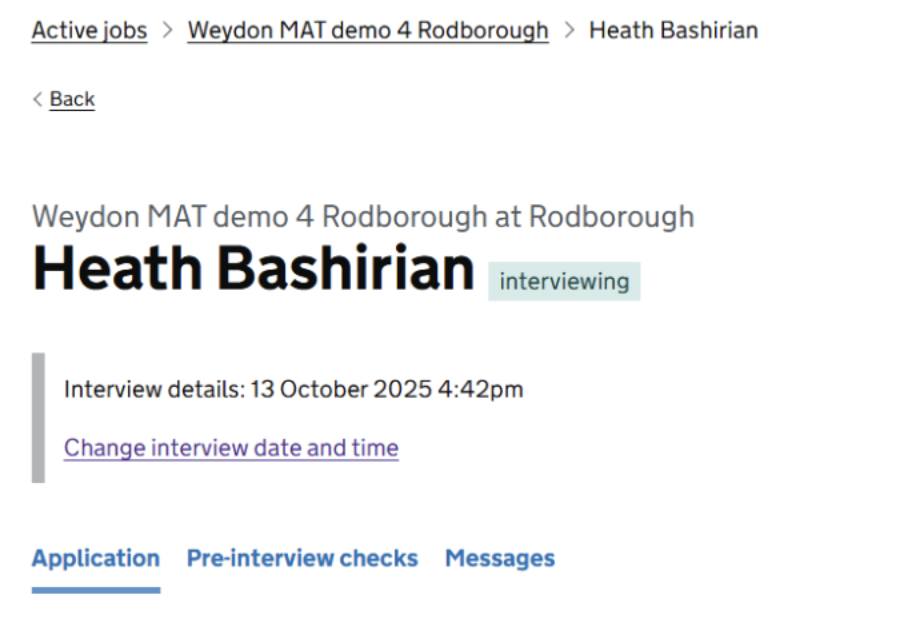
- The individual application page where the interview date and time can be viewed and updated
- The new ‘Interview unsuccessful’ tab – this page is accessed by selecting an applicant and then the ‘Update application status’ button
- The Add feedback date page